Tools / Your own account

Instagram followers check

Your follower list in the app is a long scroll. A followers check reads the same public list with each follower's profile beside it, so you can see who follows back, who posts and who has gone quiet, and decide what to do inside the app.

Emma Carter@emma.carter · Example account
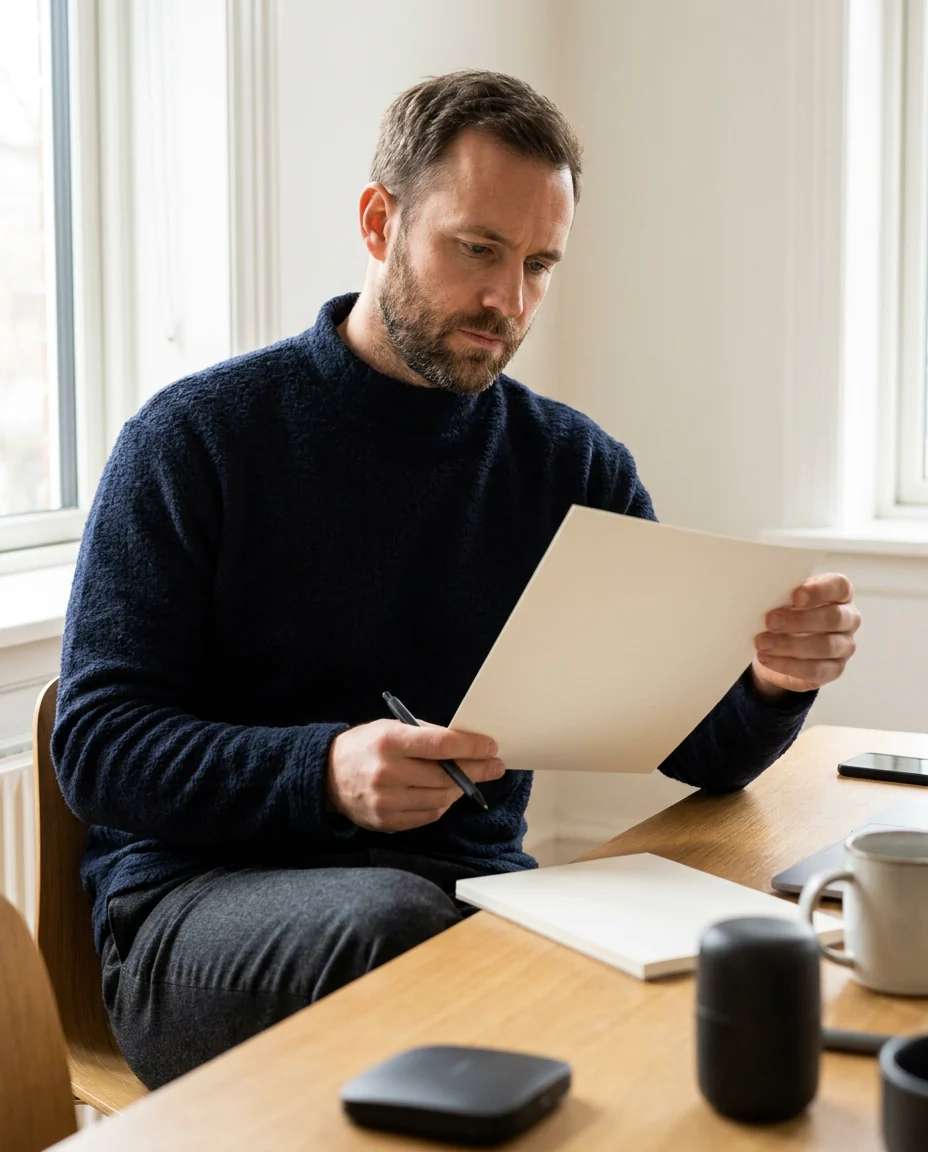
Example account photo: a man reviewing a printed list with a pen at a desk
Followers check Each follower, one line
Follows backYes / No
PostsCount
AccountPublic

How do you check your Instagram followers?

Read the list with each profile beside it

Open your follower list from your username, and read each follower's public profile: whether they follow you back, whether they post, and whether the account is public or private. Save the reading, so the next one can show who arrived and who left.

Key points
  1. 1

    Instagram shows your follower count and the list of names, one long scroll with a search box.

  2. 2

    Each follower's public profile adds what the list leaves out: posts, counts and privacy.

  3. 3

    Saved readings over time show who arrived and who left between them.

  4. 4

    Everything a check finds is acted on inside the app, by you. No password is needed.

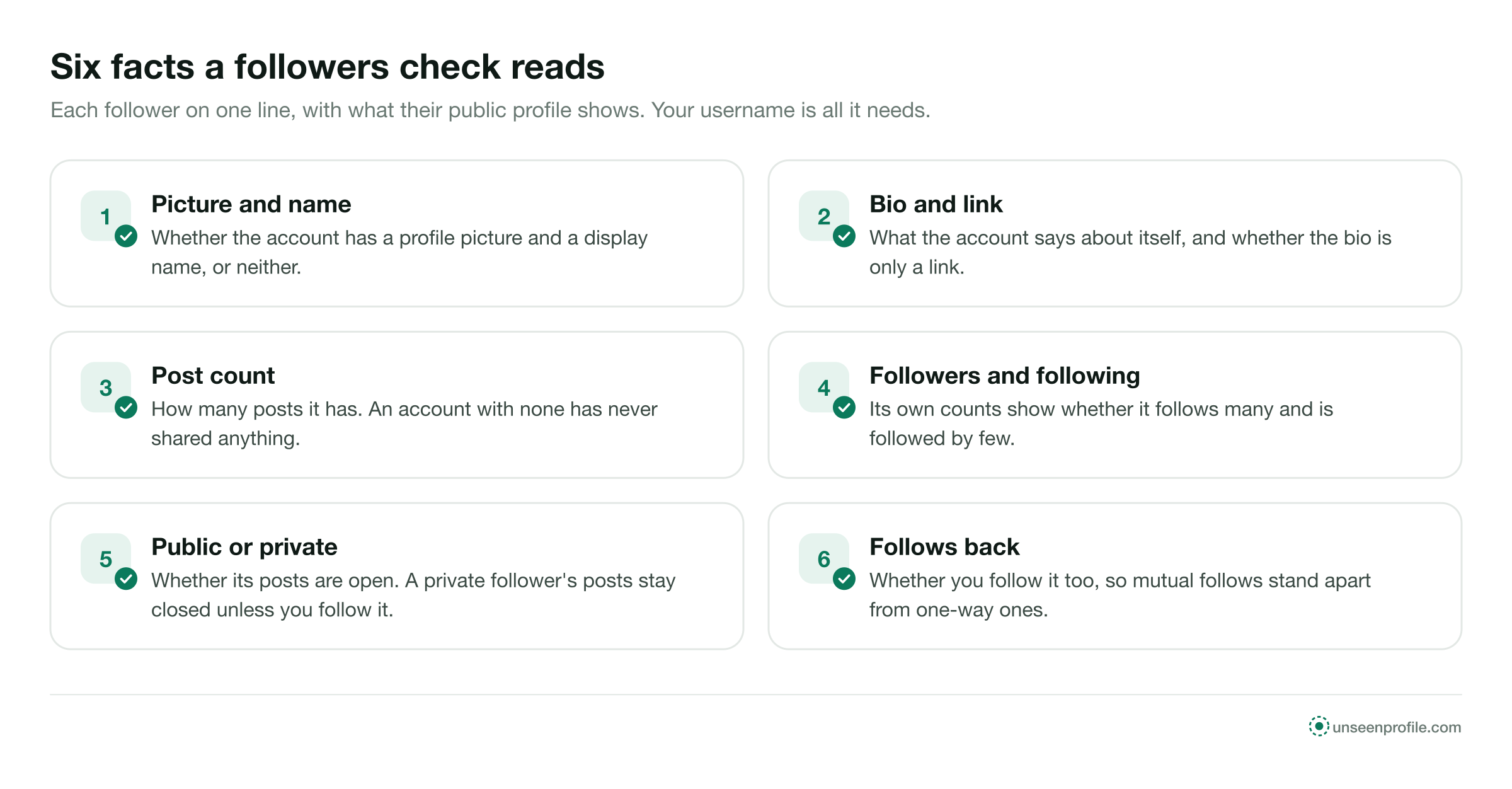
Six numbered cards: picture and name, bio and link, post count, followers and following, public or private, follows back
The six public facts a followers check reads from each follower's profile, one line per follower. Free to share with a link to this page.
What the app gives you

What Instagram shows about your followers, and where it stops.

The app has every name. What it lacks is a way to see the names together with what each account is.

In the Instagram appWhat a check adds
Your follower count YesThe same count, with the date of the reading
Every follower's name YesThe same names, kept as a reading
Search for one name YesSorting the whole list by any column
Whether each follower postsOne profile at a timeShown on the line for every follower
Each follower's own countsOne profile at a timeShown on the line for every follower
Who left since last timeNot shownNamed by comparing two readings
What a check reads

Six things every public profile says about a follower.

None of this is hidden. It is what any visitor sees on each follower's profile, collected in one place.

Picture and name

Whether the account has a profile picture and a display name, or neither.

Bio and link

What the account says about itself, and whether the bio is only a link.

Post count

How many posts the account has. An account with none has never shared anything.

Followers and following

The account's own counts, which show whether it follows many and is followed by few.

Public or private

Whether its posts are open. A private follower's posts stay closed unless you follow it.

Follows back

Whether you follow the account too, so mutual follows are told apart from one-way ones.

Three steps

Check your Instagram followers in three steps.

The same on a phone or a computer. Your username is the only thing you type.

  1. 1

    Enter your username

    Type your own public Instagram username. Your follower list is public, so no login is needed.

  2. 2

    Each follower, one line

    Every follower is read with the public facts from their profile: follows back, posts, counts, public or private.

  3. 3

    Sort and decide

    Sort the list into groups and open the profiles worth a closer look in the app.

Five groups

The groups a follower list falls into.

Sorted by the public facts above, most follower lists fall into the same five groups. Each one points to a different next step.

What it usually isWhat you might do
Mutual followsFriends, family, colleagues and accounts you choseNothing; these are the core of your list
Followers you do not follow backReaders, customers, people who found you through a postFollow back the ones you know
Accounts with no picture and no postsInactive or automated accountsOpen a few and remove the ones that are not people
Accounts following thousandsAccounts that follow in bulk to be followed backLeave them, or remove them if they spam you
Private followersPeople who keep their own posts to approved followersNothing; private is a normal setting
A quiet follower is not a fake one

Many real people read Instagram and never post. An account with no posts but a picture, a name and a handful of mutual friends is usually a person. The bot followers guide covers the accounts that are not.

Readings over time

One reading is a list. Two readings are a story.

Saving each check with its date turns a list into a record of who arrived and who left.

  1. 1
    First check

    The baseline

    Your follower list as it stands today, each name with its public facts. This reading names nobody who left before it.

  2. 2
    Next check

    Arrivals and departures

    Names in the new reading and not the old one arrived. Names in the old reading and not the new one left. The who unfollowed me guide covers what a missing name can mean.

  3. 3
    Over months

    A direction

    Several readings show whether your audience is growing, steady or thinning, and which group the changes came from.

1 username

Yours, and nothing else

6 facts

Read from each follower's public profile

2 readings

The least that shows who left

What to do in the app

Four actions, all inside Instagram.

A check reads and reports. These actions are yours, taken one account at a time in the app.

  1. Step 1

    Remove a follower

    In your follower list, tap Remove beside the name. Instagram does not tell the person.

  2. Step 2

    Follow back

    Open a follower you know and tap Follow. They receive a notification.

  3. Step 3

    Restrict

    Restrict an account to keep its new comments visible only to itself until you approve them. It is not told.

  4. Step 4

    Go private

    Set your account to private so future followers need your approval. Current followers stay.

Private accounts

If your own account is private.

Your follower list is still yours to read. Outside pages cannot read it.

Inside the app

Your follower list opens as usual, with the search box and the Remove option beside each name.

In your data download

Instagram's Download your information option, in Accounts Center, includes your followers and following lists as a file you can compare by hand.

From outside

A private account's follower list is shown only to the owner and approved followers. A page that reads it from a username without your login is not telling the truth.

Four situations

Four people checking their own followers.

Emma CarterA tidy-up
Example
The situation
Emma's personal account had collected followers she did not recognise over several years.
What they did
She checked the list, opened the accounts with no picture and no posts, and removed the ones that were not people.
Daniel MoreauCustomers he missed
Example
The situation
Daniel's café account had regulars among its followers whom he had never followed back.
What they did
The check showed the followers he did not follow back. He recognised several names and followed them.
Claire DuboisBefore a collaboration
Example
The situation
A brand asked Claire about her boutique's audience before a joint post.
What they did
She checked her followers, saw most were mutual or local accounts with posts of their own, and described her audience from that.
Lena HoffA monthly habit
Example
The situation
Lena runs her choir's public account and wanted to know whether concert posts brought lasting followers.
What they did
She saved a reading on the first of each month and compared it with the one before.
Can and cannot

What a followers check is for.

A followers check can

  • Read your whole follower list with each follower's public facts
  • Show who follows back and who does not
  • Group accounts with no picture and no posts
  • Name who left between two saved readings

It cannot

  • Read a private account's list from outside
  • Name anyone who left before the first reading
  • Remove, block or follow anyone for you
  • Tell you who looked at your profile
Quick answers

Smaller questions about checking followers.

Is the order of my follower list meaningful?

Instagram has not documented how it orders the list, and it shows no follow dates on it.

Can I check someone else's followers?

On a public account, the list is public. The follower viewer covers reading it.

Does removing a follower lower my reach?

Instagram has not published any effect of removing followers. Your count drops by one for each removal.

Stay safe

Three rules for any followers check.

Never type your Instagram password

A check reads a public list from a username. A page that wants your login wants your account.

No mass actions by outside apps

An app that removes or follows accounts for you has to sign in as you, and Instagram limits activity that looks automated.

Nothing changes on your account

Reading your followers changes nothing. Every removal or follow is a tap you make in the app.

Questions

About checking followers.

Short answers to what people ask before they check their own Instagram followers.

What is an Instagram followers check?
A reading of your own follower list with each follower's public profile beside it: whether they follow you back, whether they post, and whether their account is public or private. It turns a long scroll into a list you can sort and act on.
Can I check my Instagram followers without the app?
Yes. Your follower list is public on a public account, so it can be read in a browser from your username. Instagram's own Download your information option also gives you the list as a file.
Do I need to log in or give my password?
No. A followers check reads what Instagram shows publicly. Never type your Instagram password into a third-party page.
Will my followers know I checked them?
No. Reading a follower list and opening profiles is not recorded for anyone, and nobody is notified.
Can a followers check tell me who unfollowed me?
Only by comparing two readings. The names in an earlier reading that are missing from a later one left in between. Nothing before the first reading can be recovered.
How do I remove a follower?
Open your follower list in the app and tap Remove beside the name. Instagram does not tell the person. On a public account they can follow you again; on a private account they would need to send a request.
Does a followers check work on a private account?
Not from outside: a private account's follower list is shown only to the owner and approved followers. Use the list in the app or your data download instead.
What do the follower and following counts of a follower tell me?
An account that follows thousands and is followed by a handful often follows in bulk to be followed back. An account with many followers and few followings is usually one people follow for its posts.
How often should I check my followers?
Monthly is enough for most personal accounts. Weekly helps after a campaign, a giveaway or a sudden change in the count.
Is this site part of Instagram?
No. UnseenProfile is an independent guide and is not affiliated with Instagram or Meta.

Ready when you are

Look first. Stay unseen.

Type a public username and open the viewer. No Instagram login on your side, no name on theirs.

A woman relaxing on a sofa, looking at her phone
Check your followers