Tools / Your own account

Who doesn't follow me back on Instagram

Two lists, compared: the accounts you follow and the accounts that follow you. This guide shows how the comparison works, how to tell a large account you follow for its posts from a person, and what to do in the app.

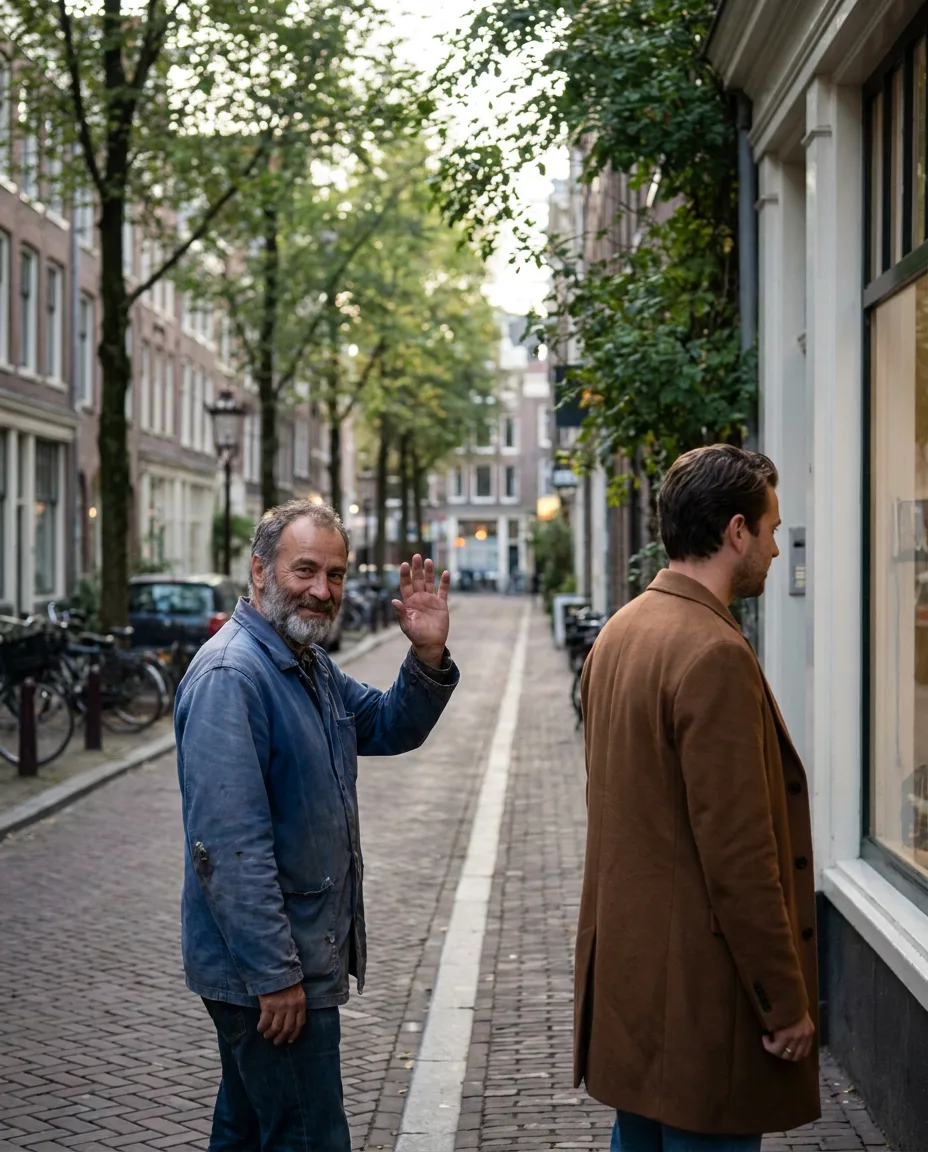
Example account photo: a man waving to a friend across a street who is looking away
You follow Not following you back
  • Lena Hoff@studio.lena · A person you know
  • Maison Claire@maison.claire · A shop you follow for posts

How do you see who doesn't follow you back on Instagram?

Compare your following list with your follower list

Every account on your following list that is missing from your follower list does not follow you back. Both lists are public on a public account, so the comparison needs only your username. Then sort the result into accounts you follow for their posts and people you know.

Key points
  1. 1

    Instagram shows both lists and never compares them for you.

  2. 2

    Names on Following and not on Followers do not follow you back.

  3. 3

    Large accounts, shops and creators rarely follow back. That is expected.

  4. 4

    Unfollowing sends no notice. Every decision is yours, made in the app.

Grid of following and follower lists: mutual follows, accounts that do not follow back, followers you do not follow back
How comparing your following and follower lists sorts every account into one of three groups. Free to share with a link to this page.
Two lists

What each list holds, and what the app does with them.

Your profile header has a count for each list. Tap either count and the names open.

FollowingFollowers
Who is on itAccounts you chose to followAccounts that chose to follow you
Who decidesYouEach follower
Public on a public account Yes Yes
Search by name in the app Yes Yes
Compared with the other listNot by InstagramNot by Instagram
One profile at a time

On the profile of an account that follows you, Instagram shows a Follows you label. Checking that label account by account is the slow way to the same answer.

How the comparison works

Three groups from two lists.

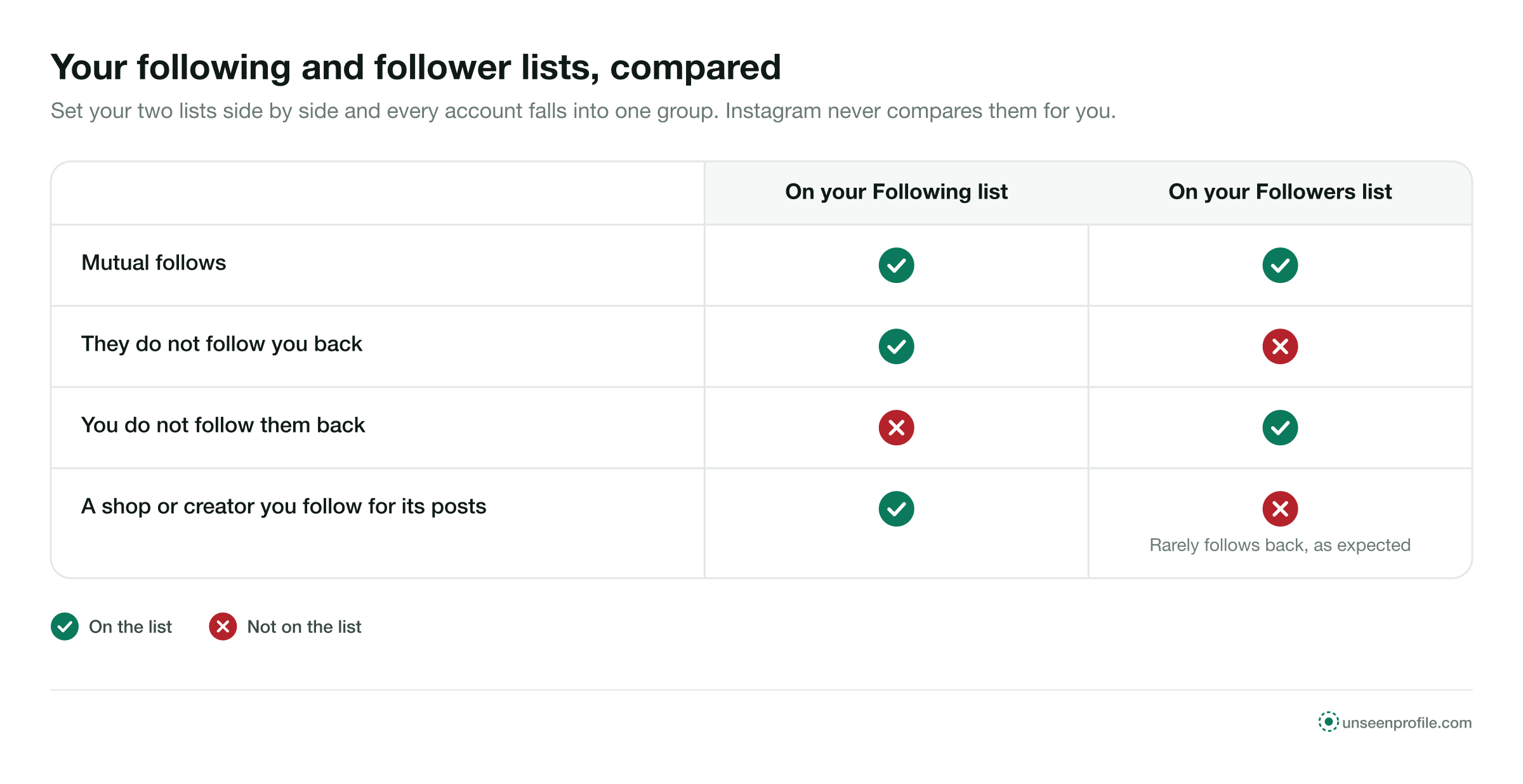
Set the two lists side by side and every account falls into one of three groups.

  1. 1
    On both lists

    Mutual follows

    You follow them and they follow you. Friends, family, colleagues and accounts that followed back.

  2. 2
    On Following only

    They do not follow back

    You follow them and they do not follow you. This is the list people search for.

  3. 3
    On Followers only

    You do not follow back

    They follow you and you do not follow them. Readers, customers, and accounts you may not know.

2 lists

Following and followers, both public

3 groups

Mutual, theirs only, yours only

0 notices

Sent when you unfollow

Three steps

See who doesn't follow you back in three steps.

Your username is the only thing you type. Both lists are read as Instagram shows them to anyone.

  1. 1

    Enter your username

    Type your own public Instagram username. No password and no login are needed.

  2. 2

    Both lists are read

    Your following list and your follower list are read in full, as Instagram shows them publicly.

  3. 3

    See who is on one list

    The accounts you follow that are missing from your followers are listed, with each one's own counts.

Accounts or people

Large accounts you follow for posts, and people you know.

The not-following-back list mixes two kinds of account. They call for different decisions.

An account you follow for its postsA person you know
Followers against followingMany followers, few followingsCounts of a similar size
Who runs itA shop, a brand, a news outlet, an artistA friend, a colleague, a classmate
Expected to follow backRarelyOften
Why you follow itIts posts, offers or newsThe person
What a missing follow back meansNothing; that is normalWorth a look, and maybe nothing
Sort by the account's own counts

An account followed by many and following few is almost always one people follow for its content. Setting those aside leaves a much shorter list of people.

Before you unfollow

Five things a missing follow back can mean.

A name on the list is a fact about two lists, not a message. These are the common reasons behind it.

  1. They never followed you

    You followed them and they did not follow back. Many people follow back only accounts they know.

  2. They followed and left

    They followed you once and stopped. The who unfollowed me guide shows how two readings name who left and when.

  3. They rarely open Instagram

    Some people have an account and almost never use it. Your follow request or follow may be sitting unseen.

  4. They keep a short list

    Some people follow only close friends and family, and follow back nobody else.

  5. Their account is on a break

    A deactivated account leaves every list while it is off and returns when the owner logs back in.

What to do in the app

Four choices for each name.

The list reads and reports. Each choice below is a tap you make in Instagram.

  1. Step 1

    Unfollow

    Open the profile and tap Following, then Unfollow. No notice is sent.

  2. Step 2

    Mute instead

    Mute their posts or stories to keep following without seeing them. They are not told.

  3. Step 3

    Keep following

    If you follow them for their posts, a follow back was never the point.

  4. Step 4

    Say hello

    If it is a person you know, a message may do more than an unfollow.

Pace your unfollows

Instagram limits activity that looks automated. Unfollowing a long list in a few minutes can trigger a temporary limit, so spread it over several sessions.

Doing it by hand

Compare the lists from your own data.

Instagram lets you download a copy of your information from Accounts Center, and the download includes your followers and the accounts you follow. Open both lists and look for names that appear on your following list only.

It works on private accounts as well, because the file comes from Instagram to you. The exact menu names change between app versions.

By hand, in four steps

  • Open Accounts Center from your settings
  • Choose to download your information
  • Select your followers and following
  • Find the names on Following and not on Followers
Four situations

Four people and their not-following-back lists.

Emma CarterA long list
Example
The situation
Emma's list of accounts that did not follow her back was long, and she wanted to tidy it.
What they did
She set aside the shops, news outlets and artists she follows for their posts, and was left with a few people she had met once.
Daniel MoreauOther cafés
Example
The situation
Daniel follows several cafés from his café account to see what they post.
What they did
Most did not follow back. He kept following them, because their posts were the reason he followed.
Claire DuboisA friend from school
Example
The situation
Claire saw an old school friend on the list.
What they did
She checked the friend's profile, saw no posts in years, and kept following in case the friend came back.
Lena HoffFollow-for-follow accounts
Example
The situation
Lena had followed back several accounts that later stopped following her choir's account.
What they did
She unfollowed them over a few days, with no notice sent to any of them.
Can and cannot

What a not-following-back comparison is for.

A comparison can

  • List every account you follow that does not follow you
  • Show each account's own counts so large accounts stand out
  • List the followers you do not follow back
  • Work from your public username alone

It cannot

  • Say why someone did not follow back
  • Say when someone stopped following, from one reading
  • Read a private account's lists from outside
  • Unfollow anyone for you
Quick answers

Smaller questions about follow backs.

Does a pending follow request count?

No. Until a private account approves your request, you are not on its follower list, and it is not on your following list.

Can someone see that I checked?

No. Reading your own lists, or opening a profile, sends no notice to anyone.

Why does the list change from day to day?

People follow, unfollow and deactivate all the time. Each reading shows the lists on that day.

Stay safe

Three rules for any follow-back tool.

Never type your Instagram password

Both lists are public on a public account. A page that wants your login wants your account, not your lists.

No mass unfollowing by outside apps

An app that unfollows for you signs in as you, and Instagram limits activity that looks automated.

Nothing automatic

The comparison reads and reports. Unfollowing, muting and messaging stay in the app, done by you.

Questions

About follow backs.

Short answers to what people ask when they compare who they follow with who follows them.

How do I see who doesn't follow me back on Instagram?
Compare your following list with your follower list. The accounts that appear on your following list and not on your follower list are the ones that do not follow you back.
Does Instagram show who doesn't follow me back?
Not as a list. You can open each account you follow and look for the Follows you label, one profile at a time. A comparison of the two lists does the same in one pass.
Will someone know if I unfollow them?
No. Instagram sends no notification for an unfollow. They can notice only by looking at their own follower list or your profile.
Should I unfollow everyone who doesn't follow back?
Not by default. Large accounts, shops, news and artists rarely follow back, and you follow them for their posts. The list is most useful for people you know.
Do I need my password to compare the lists?
No. Both lists are public on a public account, so a comparison needs your username and nothing else. Never type your Instagram password into a third-party page.
Can I do it without any outside tool?
Yes. Instagram's own Download your information option includes your followers and following lists as a file. Compare the two lists in it by hand.
Why did someone who followed me back stop?
They may have unfollowed, blocked you, or deactivated their account. The who unfollowed me guide explains how to tell these apart.
Does it work if my account is private?
Your lists, inside the app and in your data download, work as usual. Outside pages cannot read a private account's lists.
Is there a limit to how many I can unfollow?
Instagram limits activity that looks automated, including many unfollows in a short time. Spread a large clean-up over several sessions.
Is this site part of Instagram?
No. UnseenProfile is an independent guide and is not affiliated with Instagram or Meta.
Ready when you are

Look first. Stay unseen.

Type a public username and open the viewer. No Instagram login on your side, no name on theirs.

A woman relaxing on a sofa, looking at her phone
Check your followers